

Galleria
Photo galleries you own
Import a shoot, arrange it, and publish it to your own server. No account, no monthly hosting bill from anyone but your own host, and your photographs are never uploaded anywhere except where you send them.
Coming to the Mac App Store →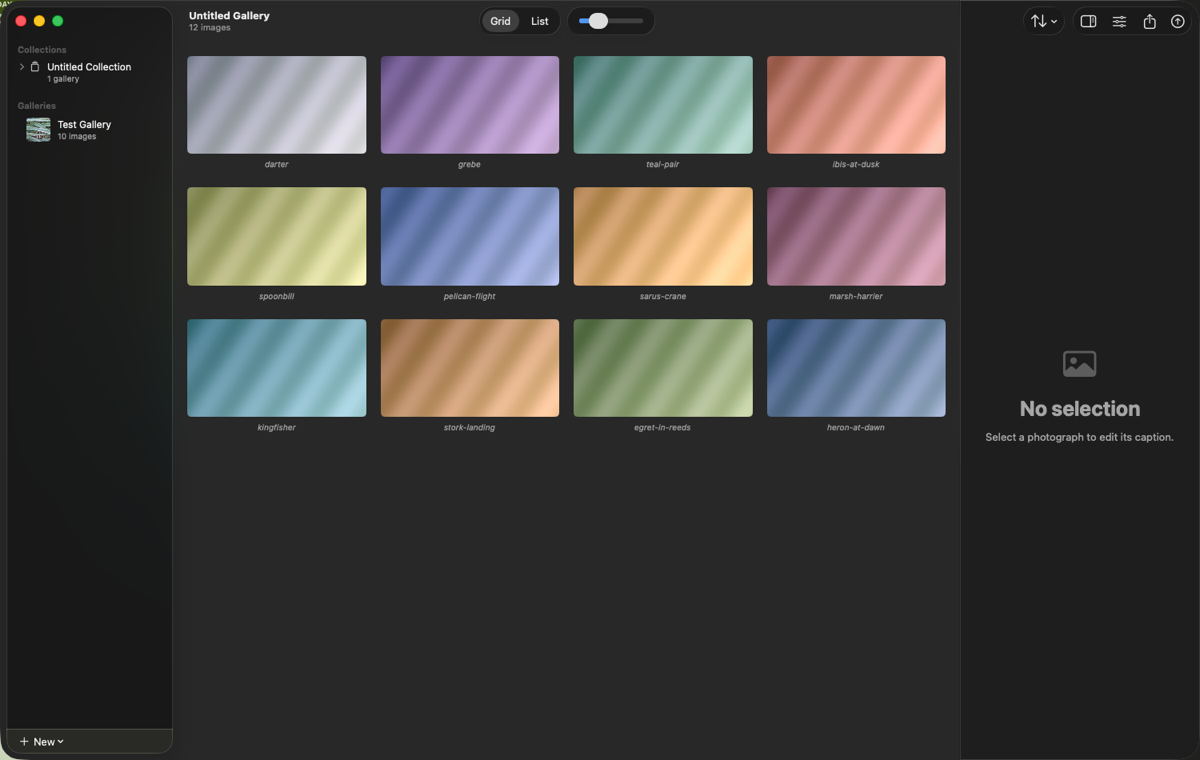
What It Does
Most ways of putting photographs online ask you to move in: an account, a subscription to a platform, your images living on somebody else's server, and a gallery that disappears the day you stop paying them. Galleria does the opposite. It builds an ordinary static website — HTML, CSS and your images — and puts it wherever you tell it to.
That means the output is yours. It works from a plain web host, a university server, an S3 bucket, a Raspberry Pi in a cupboard, or a folder on a USB stick. It keeps working if Galleria is never updated again, and it keeps working if you stop using it.
Publishing
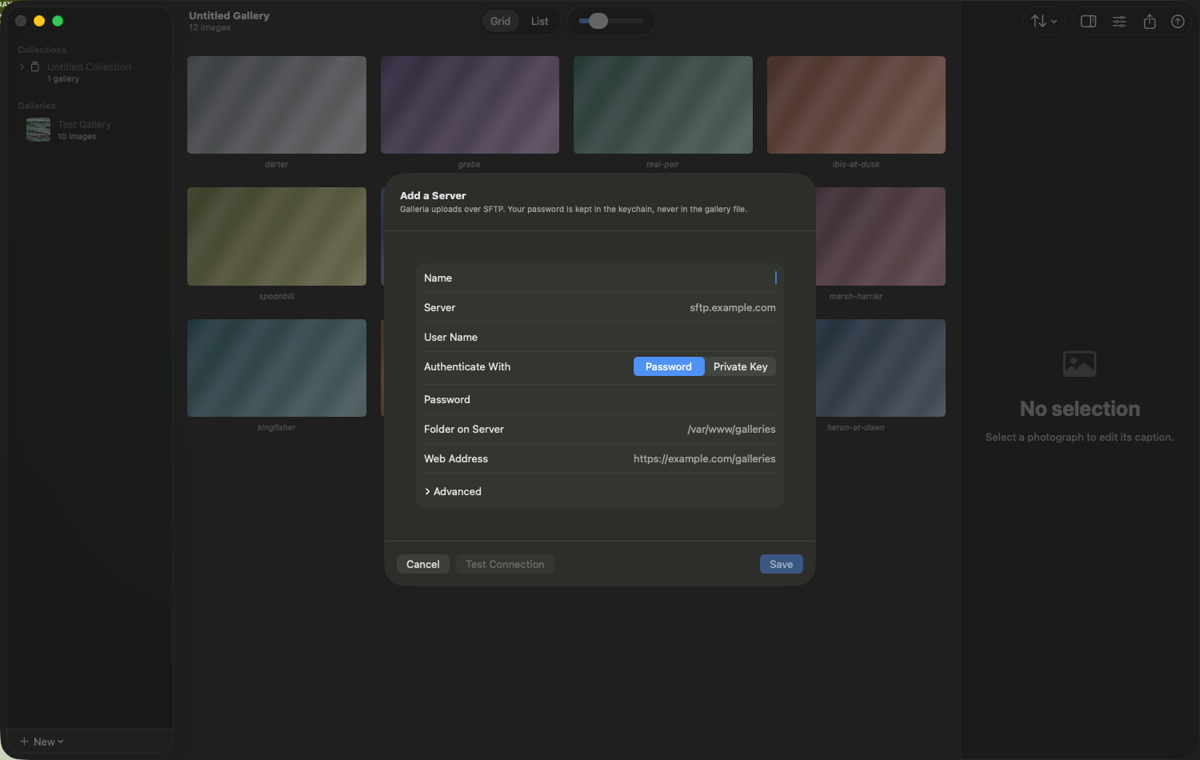
Galleria publishes over SFTP straight to your own server. The first time takes as long as your images take to upload. Every time after that it sends only what actually changed — fix a caption on a four-hundred-image gallery and it moves a few pages and no photographs at all.
Set a server up once: host, user name, folder, and a password or an SSH key
⇧⌘P publishes to it again with no dialog at all
A site is never broken half-way through: images land before the pages that use them
Interrupted uploads resume rather than starting again
Or export to a folder and put it online however you like
Made For Photographs
Colour managed properly, so what you exported is what a visitor sees
Responsive images: the browser picks the right size for the screen it is on
GPS stripped by default — publishing a nest or a den location is a real harm
Your copyright and byline are kept, because stripping those is not privacy
Orientation baked into the pixels, so nothing is sideways anywhere
Alt text per photograph, and a nudge when a gallery has none
Requirements & Availability
Requires macOS 14 or later
Universal on Apple silicon and Intel Macs
Free to use for 30 days — the whole app, not a crippled version
After that: $9.99 a year, or $29.99 once
Your galleries stay open and editable whether or not you subscribe, and everything you have already published stays published
No account. No telemetry. Nothing is uploaded except a publish you set up yourself.